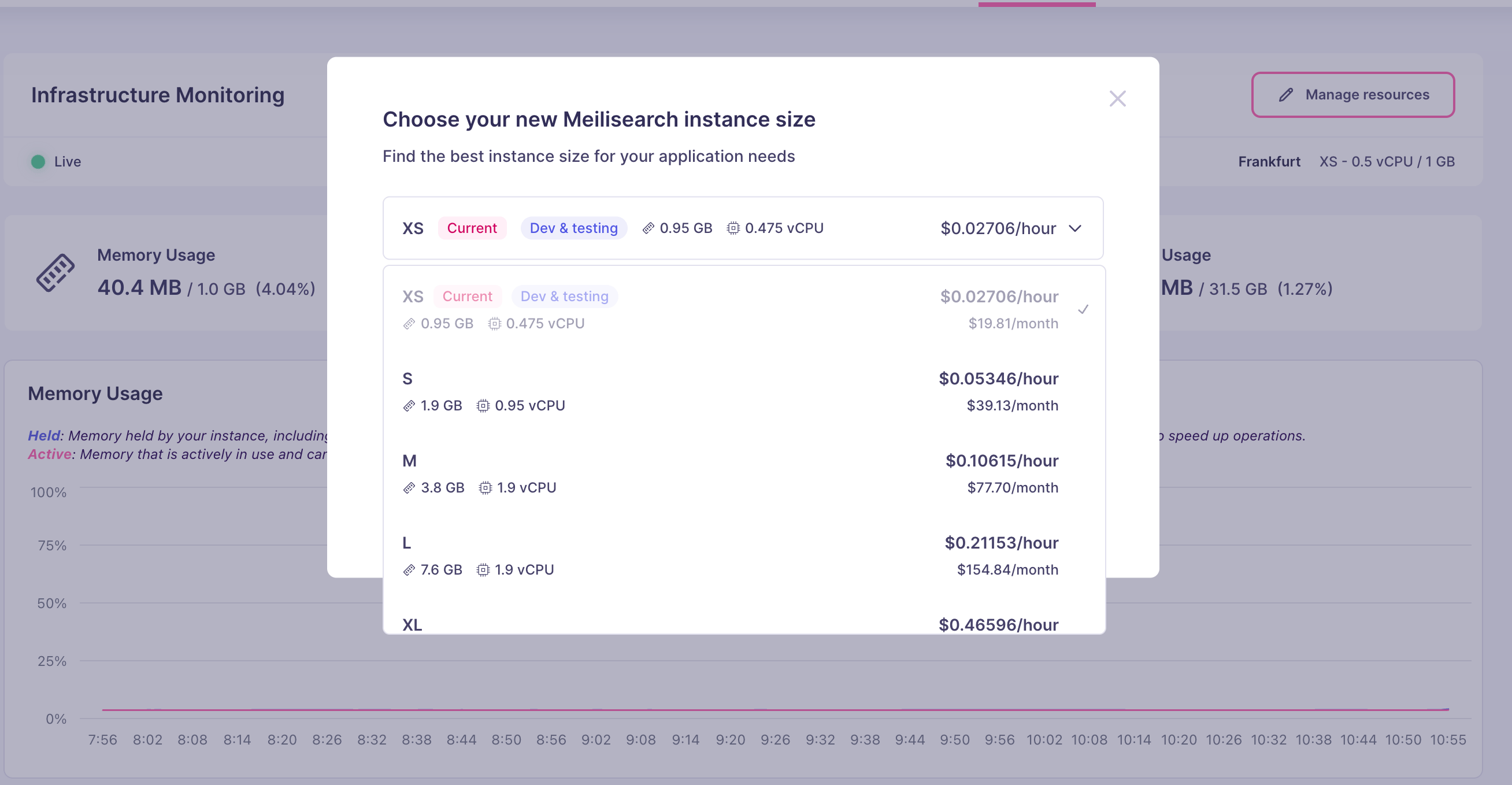
Resource management applies to resource-based projects only. Usage-based projects scale automatically and do not have a configurable resource tier. If you are on a usage-based plan and want more control over your infrastructure, you can migrate to a resource-based project at any time by creating a new resource-based project and re-indexing your data.
Resource tiers
Each tier defines the CPU, RAM, and storage available to your project. The exact tiers and their prices are shown in the Cloud UI and on the Meilisearch pricing page. General guidelines for choosing a tier:When to scale up
Signs that your project needs more resources:- Search latency (p95 or p99) increases during peak traffic
- Indexing tasks take significantly longer than usual
- Memory usage stays near 100% in the usage metrics dashboard
- CPU usage is consistently high during search-heavy periods
Changing the plan
- Open your project in the Meilisearch Cloud dashboard.
- Go to Infrastructure and find the Manage resources button.
- Click on the dropdown to see all available options.
- Select the desired instance size from the list. Each option shows its RAM, vCPU, and hourly and monthly cost.
- Click Confirm. The change takes effect shortly.